Capture only what matters.
Start the region picker with the extension action or configured shortcut. Drag over each relevant area on a regular webpage.
Web AI screenshot delivery is free · you verify before sending
Add to Chrome ↗Capture every webpage region that belongs to the question. Framnova keeps each screenshot as a separate PNG, preserves your order, and prepares the full set for ChatGPT—while leaving the final review and Send action to you.
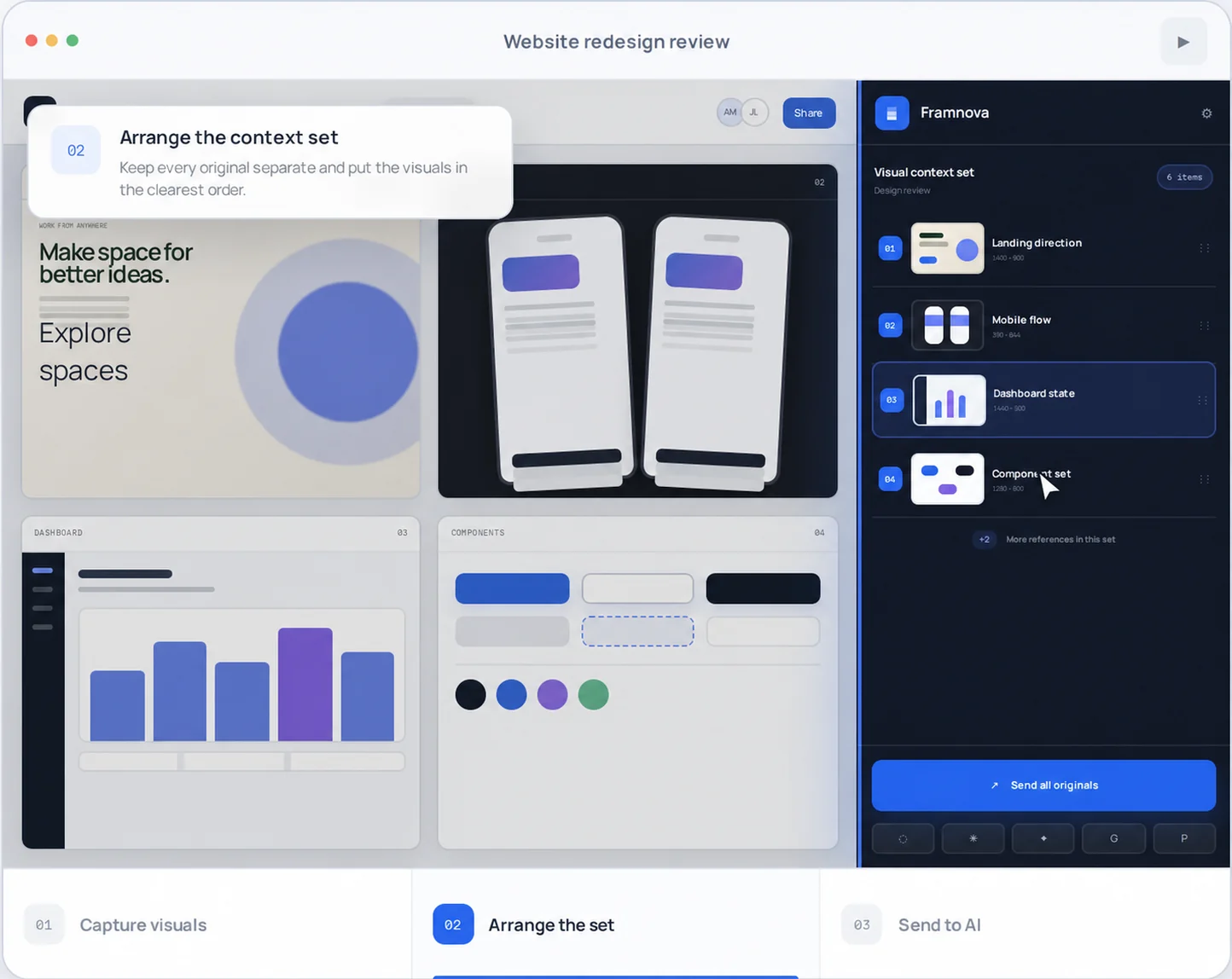
A useful design review, support question, or product comparison often spans several states. Framnova removes the repeated screenshot-save-upload loop while keeping you in control of every capture and attachment.
Start the region picker with the extension action or configured shortcut. Drag over each relevant area on a regular webpage.
Preview, rename, reorder, and remove items. Each capture remains an independent original rather than one compressed collage.
Choose ChatGPT, grant site access when requested, and verify every visible attachment. Framnova never clicks the final Send button.
Framnova is designed for tasks where sequence and comparison matter—not for replacing ChatGPT’s own image understanding or pretending that every question needs more files.
Send landing, responsive, dashboard, component, and edge-case states in the order that best explains the design.
Capture setup, action, result, and error states so the model receives the visual sequence behind the problem.
Collect selected regions from several regular webpages without flattening them into a single image.
For selected elements, prepare bounded DOM, computed style, token, and asset context as an optional companion file.
Chat websites change. Framnova treats attachment confirmation as evidence to review, not a reason to claim silent or guaranteed delivery.
Capture content rendered inside the active Chrome tab after you start the picker.
The adapter prepares real image files for the composer. Confirm every attachment because the ChatGPT interface can change.
Framnova does not press Send. You review the prompt and files, then submit the message yourself.
A Chrome extension cannot capture native desktop applications or protected browser surfaces with this workflow.
No. Every capture stays a separate original image. You can reorder the files before attaching them to ChatGPT.
Yes, depending on your ChatGPT plan and current product limits. Framnova focuses on capture, sequencing, and attachment verification; it does not claim to unlock a model capability.
No. Capture begins after an explicit extension action on the active regular webpage. Destination access is requested only when you choose to attach there.
No extension can honestly guarantee that. The adapter is versioned separately, and you should verify the visible attachments before sending.
Start with a real multi-screen task. Capture the relevant regions, review the ordered originals, and keep the final send under your control.