Sanitized HTML around the selected element.
Active content and dangerous URLs are excluded. Page text is minimized by default to reduce accidental disclosure.
Selected elements · sanitized output · local preparation
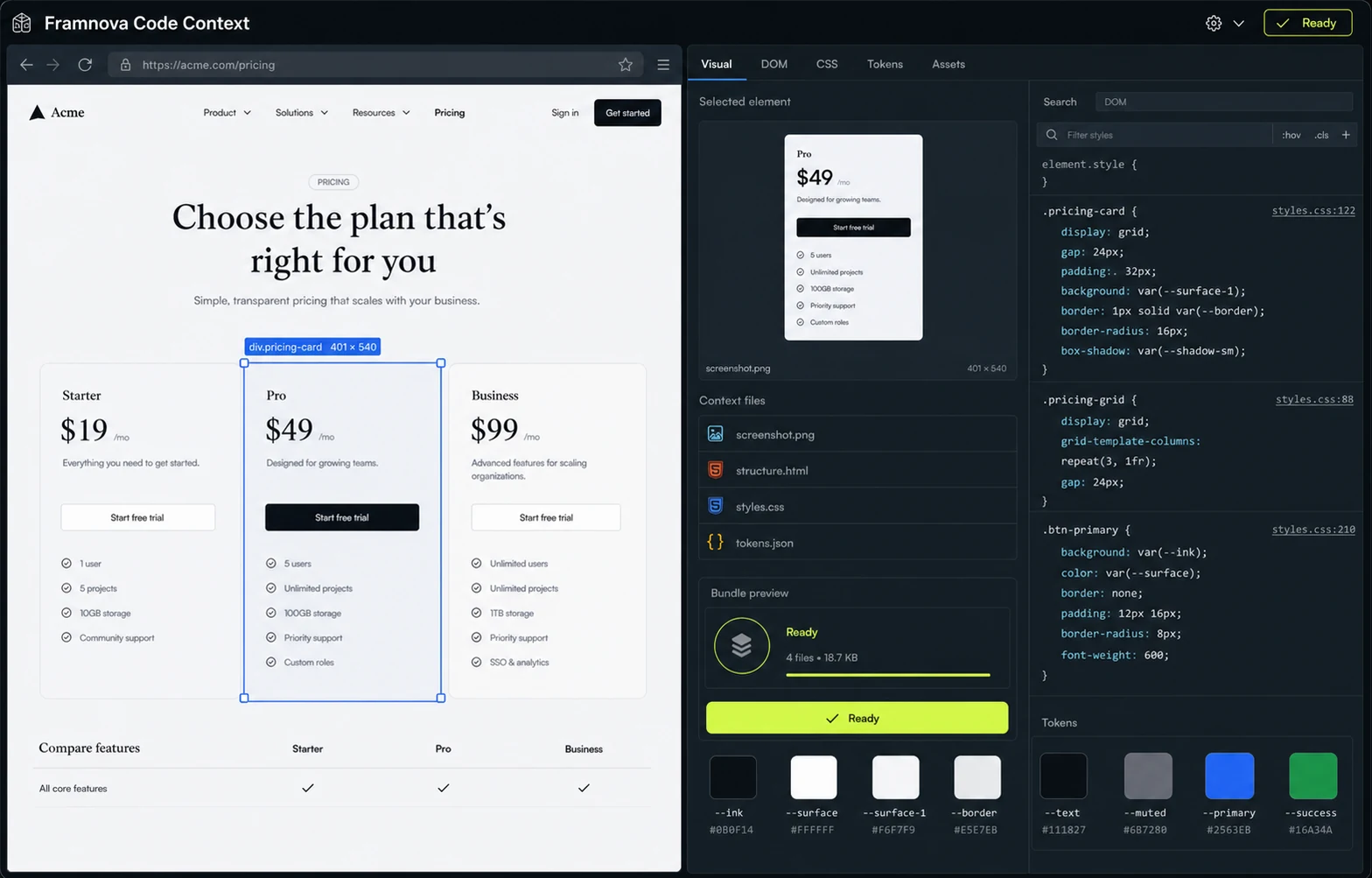
Add to Chrome ↗A screenshot shows appearance. Framnova can also prepare a sanitized DOM fragment, relevant computed styles, visual token candidates, and visible asset references—bounded around the element you explicitly select. It does not recover private source code.
WEB CONTEXT, NOT A WEBSITE CLONER
Framnova is aimed at design review and frontend collaboration where the model needs both rendered appearance and a bounded technical description. It does not promise a production-ready clone of an arbitrary website.
<article class="pricing-card">
  <h3>Pro</h3>
  <p>For growing teams</p>
</article>

.pricing-card {
  display: grid;
  gap: 1.25rem;
  border-radius: 18px;
  background: #f7f4ee;
}The element snapshot uses finite size and node limits. Remote resources are referenced or neutralized instead of being silently fetched into an export.
Active content and dangerous URLs are excluded. Page text is minimized by default to reduce accidental disclosure.
Visible descendant styles are bounded and deduplicated so the output remains useful to an AI workflow.
Framnova summarizes recurring visual values as implementation clues rather than claiming to recover a canonical design system.
References remain subject to origin, browser, licensing, and access restrictions. Framnova does not grant rights to reuse third-party designs.
Computed styles describe what the browser rendered at capture time. They do not reveal every design decision, build tool, component abstraction, or inaccessible source file.
Capture sanitized structure, bounded descendant styles, visual tokens, asset references, and a screenshot.
Prepare a bounded Markdown context document. Treat page content as untrusted data when using it in an AI workflow.
The browser sees rendered output, not private source code, original component names, or an inaccessible build system.
A component export engine is being validated separately; no live React, Vue, or Tailwind export UI is claimed here.
No. It prepares relevant computed and matched style context around the selected rendered element, subject to strict size and node limits.
No. Framnova is not positioned as a website cloner. It pairs selected visual evidence with implementation context for review and AI-assisted work.
It can summarize visible colors, typography, spacing, radii, and shadows found in the bounded selection. These are observed values, not guaranteed source-of-truth tokens.
Framnova does not grant intellectual-property or licensing rights. Use captured context only where you have permission and apply your own legal review.
Start from a selected webpage element. Keep the screenshot and bounded implementation context together, then decide where the bundle goes.